Keybindings reference
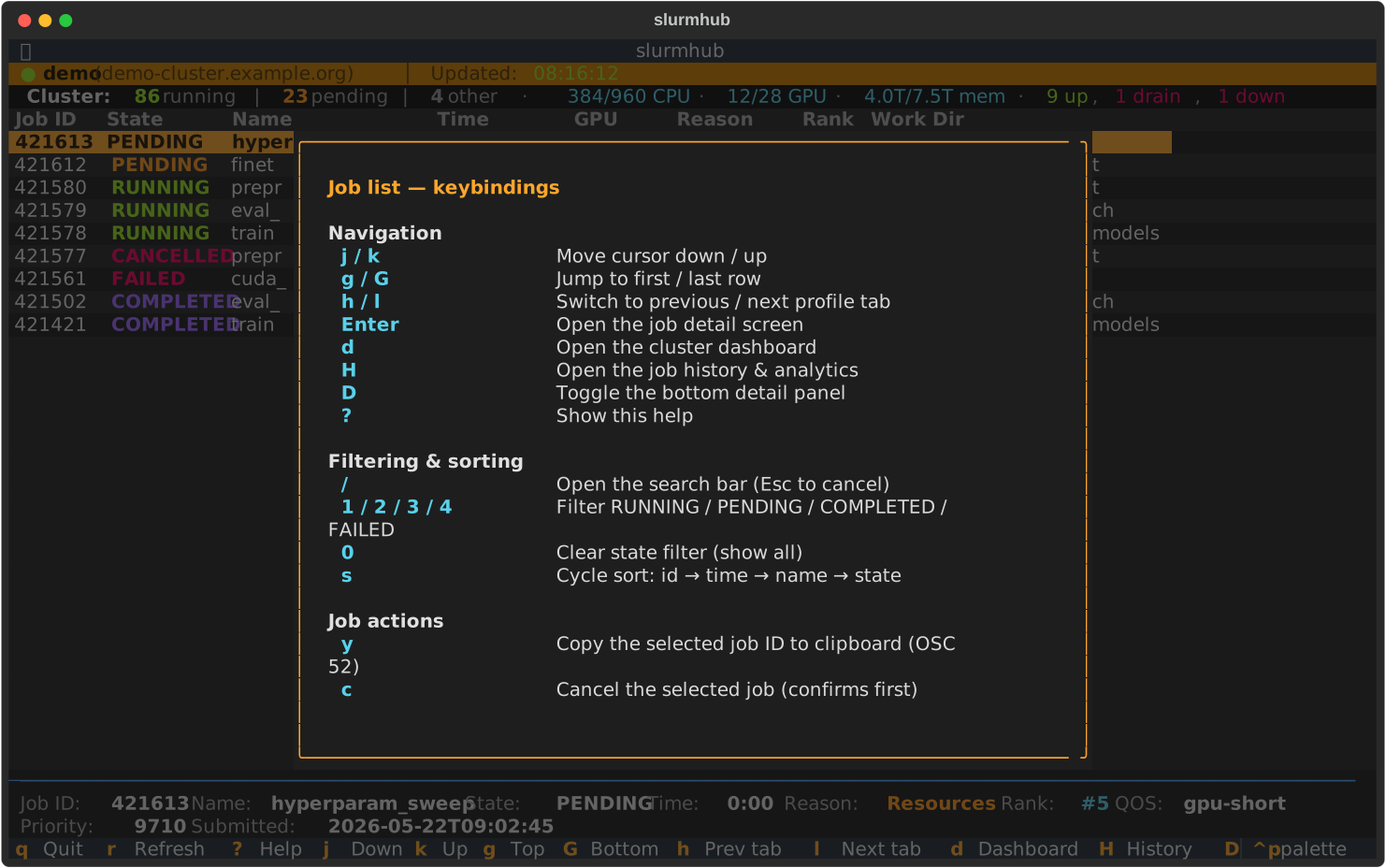
Press ? on any screen for a context-specific cheatsheet inside the app. This page
is the union of all of them.
Main job table
Key |
Action |
|---|---|
|
Quit |
|
Refresh now (also forces a sacct re-fetch) |
|
Help |
|
Cursor down / up |
|
First / last row |
|
Previous / next profile tab |
|
Open the Job Detail screen |
|
Open the Cluster Dashboard |
|
Open the Job History & analytics screen |
|
Toggle the bottom detail panel |
|
Open the search bar ( |
|
Toggle filter RUNNING / PENDING / COMPLETED / FAILED |
|
Clear state filter (show all) |
|
Cycle sort mode (id → time → name → state) |
|
Yank the selected job ID to the system clipboard (OSC 52) |
|
|
|
Close search bar / pop the current screen |
Job detail screen
Key |
Action |
|---|---|
|
Open the log viewer on |
|
Open the log viewer on |
|
Open the batch script viewer |
|
|
|
Toggle this run as a favourite |
|
Edit the favourite’s note |
|
Cycle yank: job ID → stdout path → stderr path → work dir |
|
Scroll within the detail body |
|
Back to the job list |
Job history screen
Key |
Action |
|---|---|
|
Toggle past-runs / usage-aggregates view |
|
Toggle the selected run as a favourite |
|
Edit the selected run’s note |
|
Toggle current-profile / all-profiles scope |
|
Cycle the date range (all / 24h / 7d / 30d) |
|
Show favourites only |
|
Filter RUNNING / PENDING / COMPLETED / FAILED |
|
Clear the state filter |
|
Search by job name or ID |
|
Open the selected run’s detail screen |
|
Re-run the query |
|
Move the cursor |
|
Back to the job list |
Log viewer
Key |
Action |
|---|---|
|
Toggle FOLLOW / PAUSED |
|
Open the search bar |
|
Jump to next / previous match |
|
Save the buffer to |
|
Copy the current line / match to the clipboard |
|
Scroll |
|
Close the viewer |
Cluster dashboard
Key |
Action |
|---|---|
|
Force-refresh |
|
Scroll the body |
|
Help cheatsheet |
|
Back to the job list |
Batch script viewer
Key |
Action |
|---|---|
|
Save to |
|
Copy the saved path to the clipboard |
|
Scroll |
|
Back |