Job table
The job table is the starting screen — your active jobs (from squeue) merged with
recent history (from sacct).
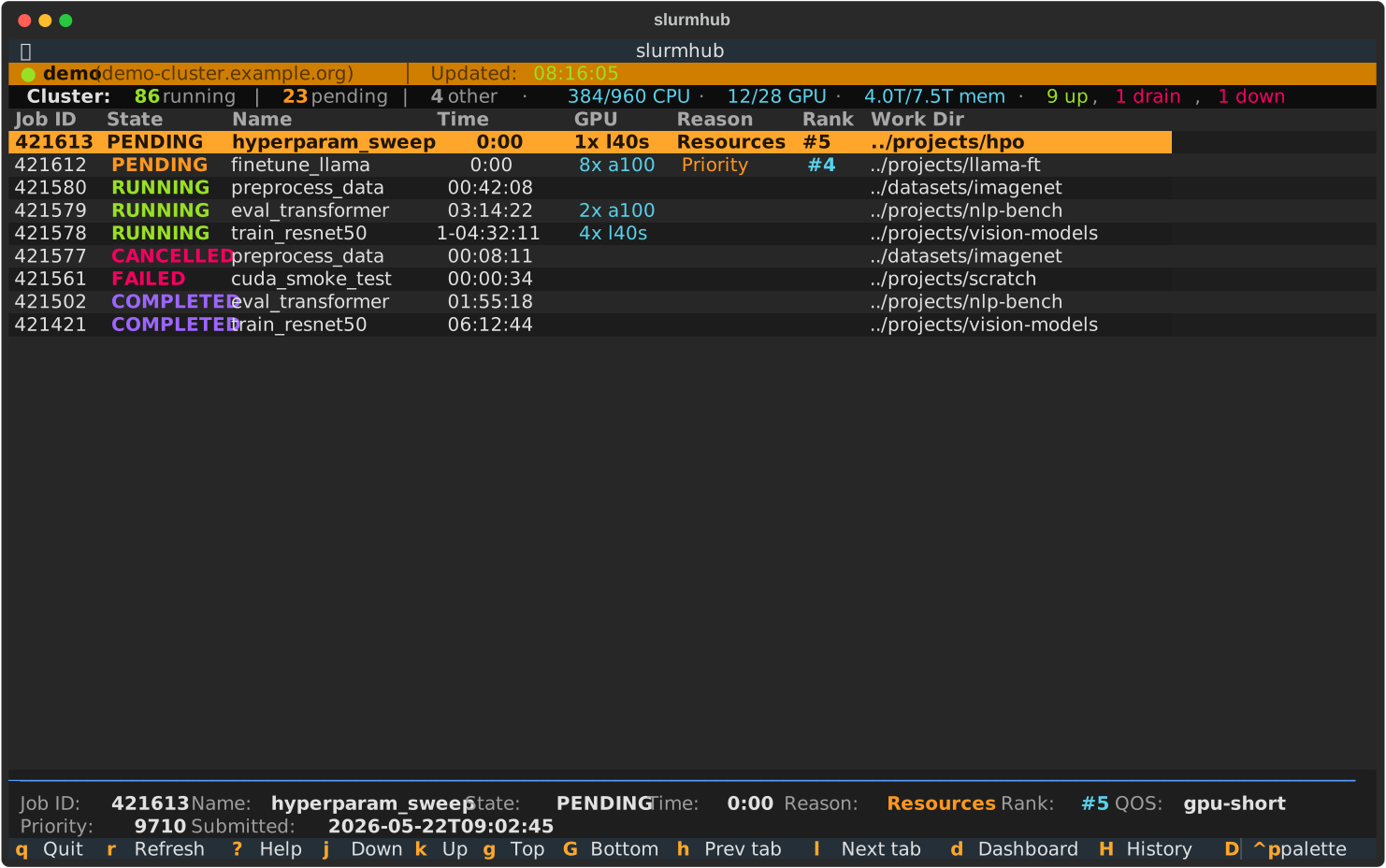
Columns
Column |
Source |
Notes |
|---|---|---|
Job ID |
|
Slurm’s primary key. |
State |
|
Color-coded: green RUNNING, yellow PENDING, blue COMPLETED, red FAILED/TIMEOUT/OOM, magenta CANCELLED. |
Name |
|
Truncated to 30 chars with |
Time |
|
Elapsed wall-clock time. Right-aligned. |
GPU |
derived from |
E.g. |
Reason |
|
Only populated for PENDING jobs ( |
Rank |
computed from |
Position of your pending job among all pending jobs in the cluster (1 = next up). |
Work Dir |
|
Truncated to the last two path components for readability. |
Filtering
State filters are per-tab and toggle on / off:
Key |
Filter |
|---|---|
|
RUNNING only |
|
PENDING only |
|
COMPLETED only |
|
FAILED only |
|
Clear filter (show all) |
The status bar shows N of M shown whenever a filter is active.
Name / ID search
Press / to open the inline search bar. Matching is case-insensitive substring
against either the job name or the job ID:
Enterconfirms (focus returns to the table).Esccloses the bar and clears the search.The bar reopens on the saved query when switching back to a tab.
Sorting
s cycles the sort mode: id → time → name → state. The current mode is shown in
the status bar as Sort: time.
Yank
y copies the selected job’s ID to the system clipboard via OSC 52 (see below). On
terminals without OSC 52 support, a notification still shows the value so you can
copy by hand.
OSC 52 — clipboard over SSH
slurmhub copies to the system clipboard using
OSC 52
escape sequences, which work through SSH without xclip / pbcopy on the
remote side. Supported terminals:
iTerm2 (default on)
WezTerm (default on)
kitty (default on)
Alacritty (
general.set_clipboard = true)tmux (
set -g set-clipboard on)